All docs pages
Levels, Recaps & the Weekend Page
Three free, public companions to the platform: a shareable morning snapshot of the key levels, an end-of-day recap archive, and a weekend futures gap. They are static snapshots and archives — the live tabs inside the app are where you trade. Anyone can open them, and you are free to share the links.
- /levels (and /levels/SPY, /levels/QQQ, …) — today's King Node, Gamma Wall, Put Wall, Net GEX and regime for a symbol, plus a Top GEX Strikes table. A shareable morning snapshot.
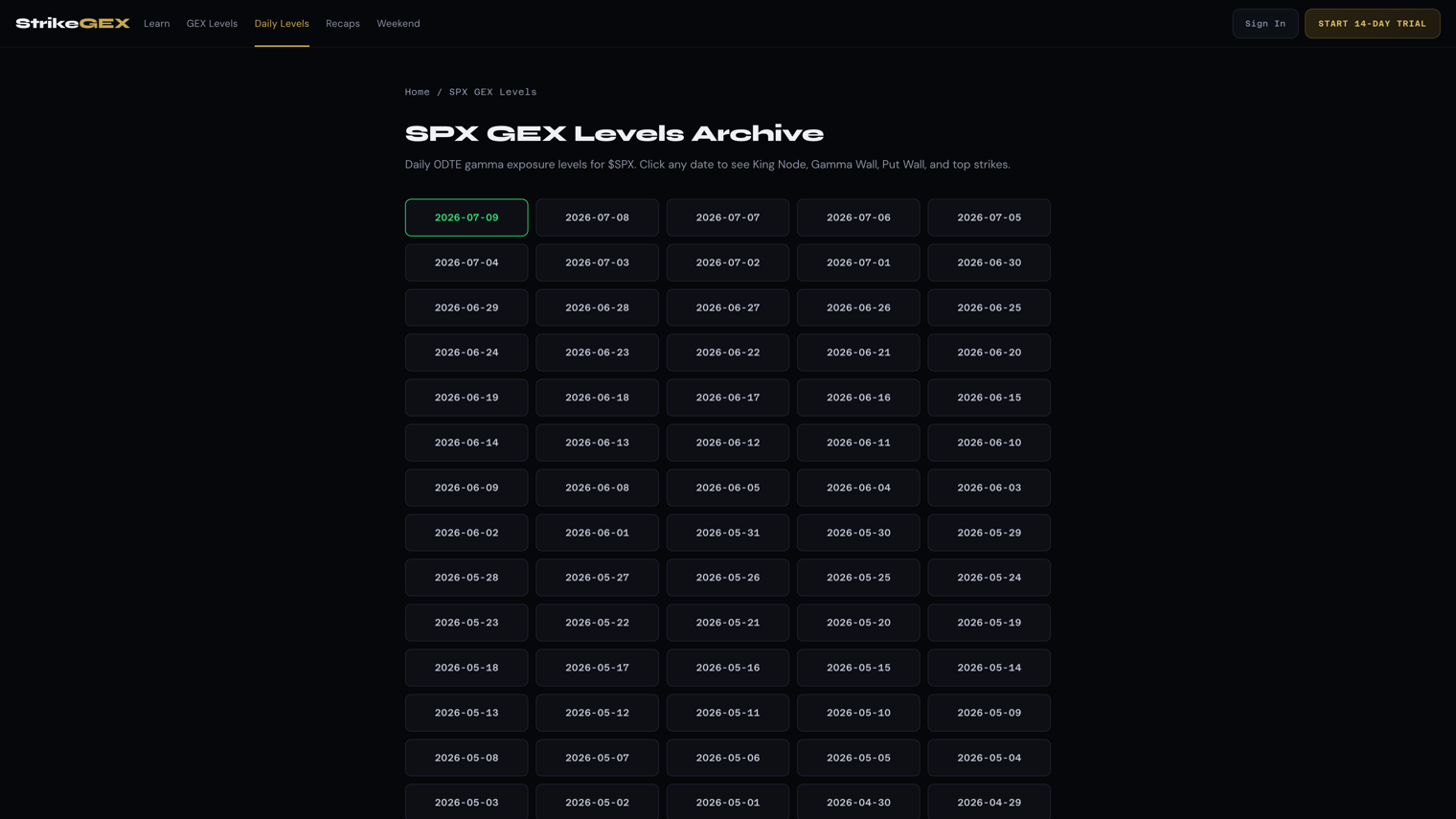
- /spx-gex-levels — the dated $SPX archive, up to 90 days, with prev/next navigation.
- /recaps — the end-of-day recap archive, one card per trading day.
- /weekend — the Implied Gap for futures vs the Last Close while the cash market is shut. Sunday-night orientation.
- Public pages are snapshots and history. The platform is live — the two are meant to be used together, not swapped.
These pages describe how dealer hedging — the buying and selling market makers do to stay neutral — tends to shape the tape around a few key strikes. They are educational context for your own read, not financial advice.
/levels — the morning snapshot
Open /levels for $SPX, or /levels/SPY, /levels/QQQ and other symbols. The symbol tabs at the top switch between them. Each page is one card built to screenshot and share.
- The header shows the symbol, its spot (the current index or share price), and a regime badge — Positive GEX (a mean-reverting tape, price tends to get pulled back toward heavy strikes) or Negative GEX (a momentum tape, moves tend to extend).
- Four level cards follow: King Node (the strongest gamma magnet), Gamma Wall (the call-side ceiling above spot), Put Wall (the put-side floor below spot), and Net GEX (the net gamma total, shown compact as K or M).
- Below the cards, the Top GEX Strikes table lists the heaviest strikes with columns Strike, Net GEX, and Type (Call Wall or Put Wall).
- A What Are GEX Levels? explainer sits under the table for anyone opening a shared link cold, and there is an email sign-up to get the day's key level before the open.
The page tells you how fresh it is. During market hours it shows a live dot and a Last update timestamp in ET, and it quietly refreshes on its own. Outside hours it reads market closed with an As of timestamp, so a screenshot never looks more current than it is.
/spx-gex-levels — the dated $SPX archive
The /spx-gex-levels index lists trading days as a grid of dates (the most recent is highlighted). Click a date to open that day's snapshot — the same four cards and Top GEX Strikes table you see on /levels, frozen for that session. Roughly 90 days are kept.
Inside a dated page, use the arrows to step through history: ← {date} for the previous session, {date} → for the next, and All Dates to jump back to the index.
/recaps — the end-of-day archive
The /recaps page is a running list of end-of-day recaps, newest first, one card per trading day. Each card shows the symbols covered, their closing price, and whether the level held — a King held or King missed badge. Click a card for that day's full recap.
This is the honest-scorecard page: it records both the days the level held and the days it didn't, so you can study how the levels lined up with what price actually did.
/weekend — the Sunday-night gap
While the cash market is closed, /weekend shows where index futures and a few other off-hours markets are trading versus their last regular-session close. Each card gives the current price, an Implied Gap (how far futures sit above or below the close, in points and percent), and the Last Close it is measured against.
Use it Sunday night to orient before the week: a green gap up or a red gap down tells you which way the tape is leaning before the open. If a market hasn't posted a close to compare against yet, the card reads Waiting for close data instead of a gap.
Public pages vs. the live tabs
Keep the mental model simple: the public pages are snapshots and archives; the platform is live.
- /levels is one card, four levels, refreshed periodically. The HeatMap tab inside the app shows every strike, the full map, and updates continuously through the session.
- /spx-gex-levels and /recaps are history. The History tab and the live tabs are where you watch the structure move in real time.
- /weekend is off-hours orientation. Come Monday, the live tabs take over.
Because they are public and free, these pages are the ones to send a friend, drop in a chat, or screenshot for a post — no login required.
Common questions
- Why is the /levels number different from what I see inside the app?
- The public page is a periodic snapshot; the live tabs update continuously. During the session the /levels page shows its Last update time — if that timestamp is a few minutes old, the in-app map has simply moved on since. Trust the live tab for the current read.
- How far back does the SPX archive go?
- Roughly the last 90 days of trading sessions. Older dates roll off, so grab a screenshot of any snapshot you want to keep beyond that window.
- The dated page loaded but says the market is closed — is the data stale?
- On non-trading days the page intentionally carries the last open session's levels and labels itself closed. It is a reference for where things stood going into the break, refreshed when the market next opens.
- What's the difference between /levels and /spx-gex-levels?
- /levels is today's snapshot and works for multiple symbols. /spx-gex-levels is the dated $SPX archive you page through by date. Same level vocabulary on both.